Screen Time Limits
Decide how much time your child spends on the phone each day, and when the phone rests.
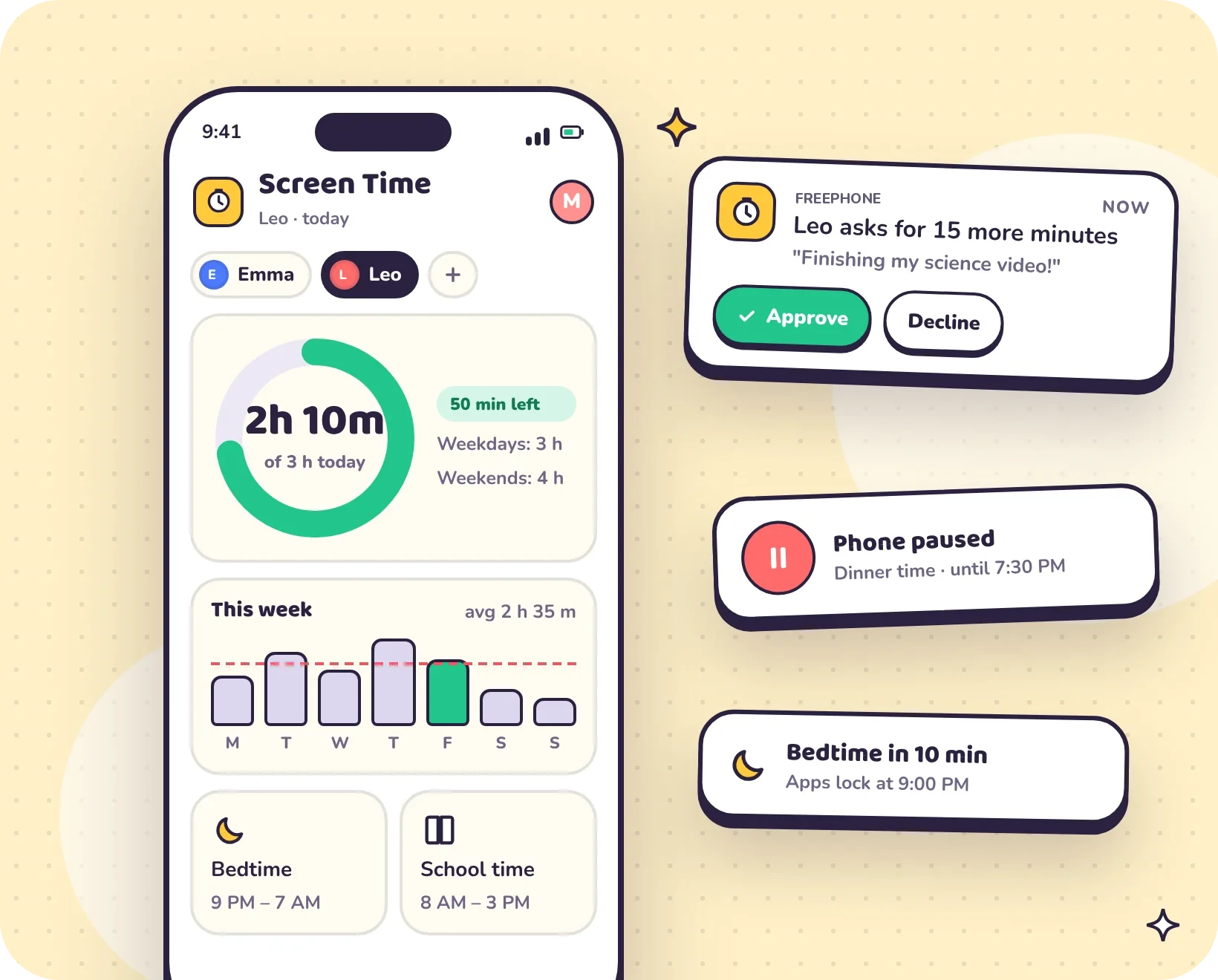
Set daily limits and screen-free hours.
Daily limit
Set total phone time per day, with different limits for weekdays and weekends.
Bedtime and school time
Lock the phone during set hours. Calls to parents still work.
Pause now
Pause the phone with one tap for dinner or homework.
Extra time requests
Your child can ask for more time. You approve or say no.
Why parents use Screen Time Limits
Too much screen time can hurt sleep, homework, and mood. Clear daily limits end the nightly argument about "five more minutes".
Tips for parents
- Set limits together with your child and write them down.
- Keep phones out of bedrooms with a Bedtime schedule.
- Allow extra time as a reward for chores or good grades.
Three steps
Open Screen Time and pick your child.
Set the daily limit and the schedules.
Tap Save. The rules start right away.
Screen Time Limits FAQ
Can my child still call me when the phone is locked?
Yes. Calls to parents and emergency numbers always work.
Does it work on iPhone?
Not yet. The child app needs an Android phone. A parent with an iPhone can use the web panel.
What happens when the limit is reached?
Apps lock until the next day. Calls to parents and emergency numbers still work.
Try Screen Time Limits free
Free on Android and the web. Set up in about 5 minutes.