Live Location
Open the app and see your child's phone on a map, with the address and the time of the last update.
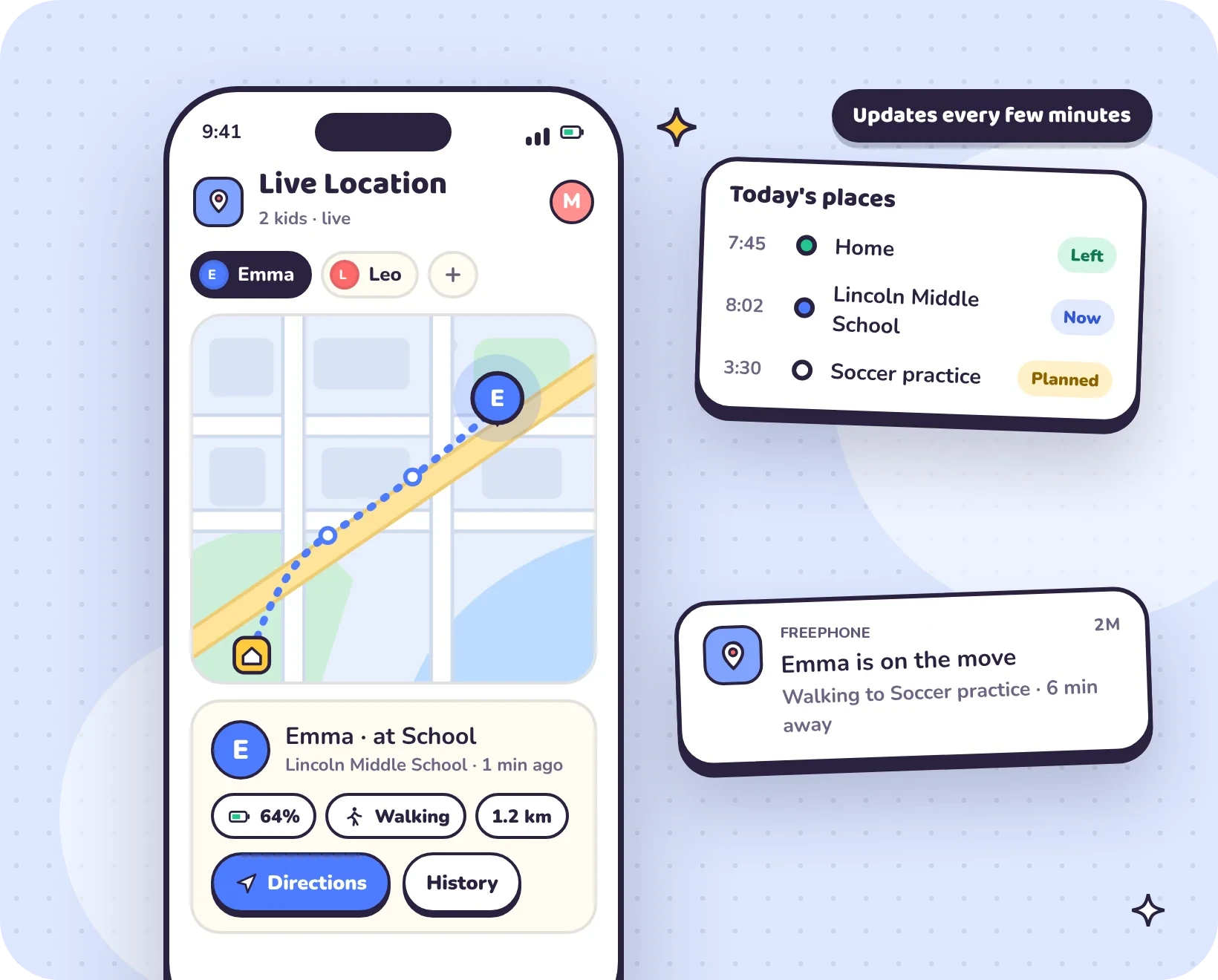
See where your child is on a live map.
Live map
Your child's location updates every few minutes while the phone is on.
Location history
Look back at the places your child visited on any day.
Battery level
See the battery level, so you know why a phone went quiet.
Directions
Tap the pin to get directions from where you are.
Why parents use Live Location
Kids walk to school, take the bus, and visit friends. A quick look at the map answers "Where are you?" without a phone call.
Tips for parents
- Check the map instead of calling during class time.
- Agree on when you will look, so your child does not feel watched all day.
- Turn on Low battery alerts too, so a dead phone does not look like a missing child.
Three steps
Install FreePhone on your child's phone and allow location access.
Open the parent app or the web panel.
Tap Location to see the live map and history.
Live Location FAQ
Does it drain the battery?
No more than a maps app running in the background. Updates slow down when the phone is not moving.
Can my child turn location off?
Your child can see that location is shared. If location is turned off, you get an alert.
How often does the location update?
Every few minutes while the phone is moving, and less often when it is still, to save battery.
Try Live Location free
Free on Android and the web. Set up in about 5 minutes.