
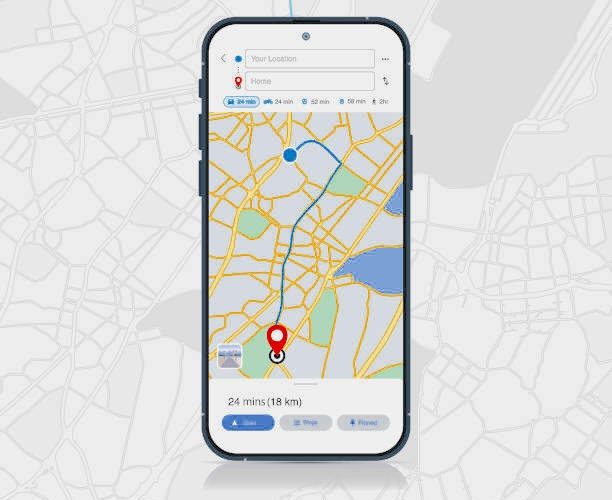

How to See a Phone Number’s Location on Google Maps
If you’ve ever wondered whether you can locate someone’s phone number using Google Maps, you’re not alone. Many people search for ways to find a phone’s location — whether to check on a loved one, locate a lost device, or verify a caller’s identity.
But here’s the truth:
Google Maps cannot show a private person’s location using only their phone number.
This is due to strict privacy laws and Google’s own security policies. However, there are several legal and safe ways to locate a phone with permission, and Google Maps plays a major role in that.
This guide explains:
- What Google Maps can and cannot do
- Legal ways to locate a phone
- How location sharing works
- How Find My Device helps recover lost phones
- How social apps reveal location
- How FreePhoneSpy supports family‑safe monitoring
Can You Locate a Phone Number Using Google Maps?
Let’s clear up the biggest misconception first.
❌ No — Google Maps cannot track a private phone number’s real‑time location.
Google Maps does not link personal phone numbers to GPS data. It does not allow you to enter a number and see someone’s location.
✔️ Yes — Google Maps can show a location if:
- The person shares their location with you
- You use Find My Device for your own phone
- The number belongs to a public business listing
✔️ Google Maps can show:
- Business locations linked to public phone numbers
- Shared real‑time locations (with consent)
- Last known device locations (via Find My Device)
❌ Google Maps cannot show:
- A private person’s location
- A phone’s live GPS position using only a number
- Secret or unauthorized tracking
Why You Can’t Track a Private Phone Number on Google Maps
There are three major reasons:
1. Privacy Laws
Countries like the US, UK, EU, Canada, Australia, and Singapore enforce strict privacy regulations. Tracking someone without consent is illegal and can lead to:
- Fines
- Criminal charges
- Civil lawsuits
2. Google’s Security Policies
Google does not allow:
- Reverse phone number tracking
- Secret location tracking
- Unauthorized access to GPS data
3. Technical Limitations
Phone numbers are not tied to:
- GPS coordinates
- Google Maps accounts
- Real‑time location data
Only location sharing or device tracking tools can provide accurate results — and only with permission.
Legal Ways to Locate a Phone Using Google Maps
Below is a comparison of the legal and safe methods to locate a phone.
| Method | Requires Consent | Accuracy | Notes |
|---|---|---|---|
| Third‑party tools | Yes | Varies | Must be installed or clicked by the user |
| Google Maps Location Sharing | Yes | High | Best for real‑time tracking |
| Google Find My Device | Yes | High | Only for your own devices |
| Social apps | Yes | Varies | Depends on user sharing |
Method 1: Third‑Party Tools (Mobile Number Tracker Using Google Maps)
There are four main types of third‑party tools claiming to track phone numbers. Here’s what they actually do — and what they don’t.
Type 1: Apps That Track Live Location (Requires Installation)
These apps use:
- GPS
- Wi‑Fi
- Mobile data
They require:
- Physical access to the device
- Installation
- User consent
These tools are commonly used for:
- Parental control
- Family safety
- Employee device management
Important:
Tracking someone without their knowledge is illegal.
Type 2: Tools That Send a Tracking Link
These services send a link via:
- SMS
- Messenger
- Social media
When the user clicks the link and grants permission, their browser shares their approximate location.
Limitations
- The person must click the link
- They must allow location access
- Accuracy varies
Type 3: Tools That Search Public Databases
These tools search:
- Public records
- Business listings
- Social profiles
They may show:
- City
- Region
- Registered address
But they cannot show real‑time location.
Type 4: Tools That Show Registered Number Location
These tools show:
- Telecom area code
- Country
- Region
This is not the user’s current location — only where the number was originally registered.
⚠️ Warning
Unauthorized tracking is illegal. Always get explicit consent before using any tracking tool.
Method 2: Use Google Maps Location Sharing
Google Maps offers the most accurate and legal way to see someone’s location — with their permission.
How to Use Google Maps Location Sharing
- Open Google Maps on the person’s device
- Tap their profile picture
- Select Location Sharing
- Tap New Share
- Choose a duration (e.g., 1 hour or “Until you turn this off”)
- Select your Google account or send a share link
Once shared, you can see:
- Real‑time location
- Battery level
- Route movement
Why It’s Useful
- Accurate GPS tracking
- Works on Android & iPhone
- Can share via link or Google account
Limitations
- Requires consent
- Stops when disabled
- Must be renewed every 24 hours (for temporary sharing)
Method 3. Locate a Phone Using Google Find My Device
Google’s Find My Device is one of the most reliable ways to locate a phone — but only if:
- The phone is logged into a Google account
- Location services are enabled
- Find My Device is turned on
- You have authorized access to the Google account
This method is designed only for locating your own devices. It cannot be used to track someone else’s phone number.
How to Use Google Find My Device
- Visit: www.google.com/android/find
- Sign in with the Google account linked to the phone
- Select the device you want to locate
- Google Maps will display:
- The phone’s current location (if online)
- The last known location (if offline)
Additional Features
- Play Sound — rings the phone for 5 minutes
- Secure Device — locks the phone remotely
- Erase Device — wipes data if the phone is stolen
Tips
You can also access Find My Device through:
Chrome → Profile Icon → Manage Your Google Account → Security → Find a Lost Device
Apple Users
iPhone users can use Find My to locate Apple devices with similar accuracy.
Method 4. Check Popular Social Apps for Shared Locations
While you cannot track a phone number directly, many social apps allow users to voluntarily share their location. This can help you identify a person’s whereabouts — but only if they choose to share it.
Here are the most common examples:
1. Snapchat — Snap Map
Snapchat’s Snap Map shows a user’s location if they have enabled sharing.
You can see:
- Their Bitmoji/Actionmoji
- Their last active location
- Their movement (if sharing live updates)
Limitations
- Only visible if they share their location with you
- Ghost Mode hides their location completely
2. WhatsApp — Status or Live Location
WhatsApp allows users to share:
- Live location (15 minutes, 1 hour, or 8 hours)
- Static location
- Location in Status updates
You can only see this if the user chooses to share it with you.
3. Facebook / Messenger
Users may share:
- Check‑ins
- Location tags
- Messenger live location
Again, this requires explicit consent.
4. iMessage (iPhone)
iPhone users can share:
- Current location
- Live location (indefinitely or for a set time)
Important Note
Location information from social apps is:
- Voluntary
- User‑controlled
- Not tied to phone numbers
Unauthorized tracking is illegal and violates platform policies.
Bonus: Family‑Safe Location Monitoring with FreePhoneSpy
While Google Maps and Find My Device are excellent for locating your own devices, families often need tools to help monitor their children’s safety online.
This is where FreePhoneSpy Parental Control fits naturally.
FreePhoneSpy is a consent‑based, family‑friendly monitoring tool designed to help parents:
- View real‑time device location
- Set geofencing alerts
- Sync app notifications
- Track screen time
- Detect risky behavior
- Encourage healthy digital habits
Why FreePhoneSpy Helps in Location‑Related Situations
- Parents can see their child’s last known location
- They can receive alerts when the device enters or leaves safe zones
- They can monitor Instagram, WhatsApp, and other app notifications
- They can identify unusual activity early
FreePhoneSpy does not hack devices or bypass permissions. It is available through the Google Play Store, making it accessible for Android families.
Conclusion
Locating a phone number on Google Maps is not as simple as typing in a number and seeing a live location — and for good reason. Privacy laws and Google’s security policies prevent unauthorized tracking.
However, there are legal and effective ways to locate a phone:
- Google Maps Location Sharing — best for real‑time tracking with consent
- Find My Device — ideal for locating your own lost phone
- Social apps — useful when users voluntarily share their location
- Third‑party tools — only legal with full user permission
If you need to monitor a child’s device safely, tools like FreePhoneSpy offer additional protection and awareness.
Ultimately, the safest and most accurate method remains Google Maps Location Sharing, which balances convenience with privacy.
FAQs — Seeing a Phone Number’s Location on Google Maps
1. Can I track someone’s location using only their phone number?
No. Google Maps cannot track private phone numbers due to privacy laws.
2. Can Google Maps show a business location using a phone number?
Yes. Public business numbers may appear in Google Maps search results.
3. Can I see someone’s live location on Google Maps?
Yes — but only if they share their location with you.
4. Can I track my lost phone on Google Maps?
Yes. Use Find My Device (Android) or Find My (iPhone).
5. Are third‑party phone number trackers accurate?
Accuracy varies. Many only show approximate or registered locations, not real‑time GPS.
6. Is it legal to track someone without their consent?
No. Unauthorized tracking is illegal in most countries.
7. Can FreePhoneSpy track someone’s phone number?
No. But it can help families monitor device activity and location with consent.



Add comment