
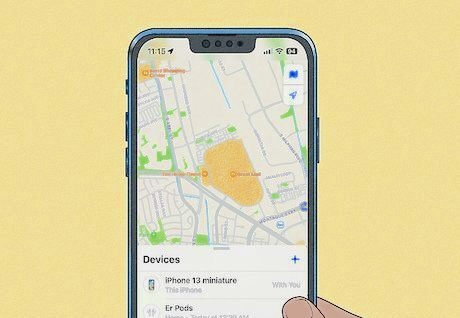

How to Find or Track Someone’s Location by Phone Number
Tracking someone’s location using their phone number is a sensitive topic — and for good reason. Location data is deeply personal, and misusing it can violate privacy laws. However, there are legitimate situations where location tracking is necessary and lawful, such as:
- Locating a lost phone
- Ensuring a child’s safety
- Checking on elderly family members
- Managing company‑owned devices
- Emergency situations
This guide explains legal, ethical, and effective ways to find someone’s location using their phone number.
Part 1 — Is It Possible to Locate Someone by Phone Number?
Yes — but only under specific conditions.
Modern smartphones and online tools make it possible to locate a device linked to a phone number, but only when:
- The device owner has given consent
- Location services are enabled
- The phone is connected to a Google or Apple account
- The number is linked to the device
- You have access to the account credentials
Additionally, some online services claim to locate a phone number using public databases. These tools can sometimes identify the general area associated with a number, but they cannot provide real‑time location without consent.
There are also phone‑number‑based tracking services that send a location‑sharing request to the owner. These require the person to approve the request before sharing their live location.
Part 2 — How to Find Someone’s Location by Phone Number
The most reliable and legal methods involve using built‑in phone‑tracking features.
1. Use Built‑In “Find Phone” Features
Both Android and iPhone include official tools designed to locate lost devices. These tools can also be used to locate someone else’s phone — but only if you have their permission and account credentials.
To use these features, the person must have:
- Enabled Find My Device (Android) or Find My iPhone (iOS)
- Turned on Location Services
- Logged into their Google or Apple account
- Linked their phone number to the account
- Shared their account password with you
Find My Device (Android)
Find My Device is Google’s official phone‑tracking tool.
How to use it:
- Visit the Find My Device website or open the app
- Log in using the person’s Google account
- Select the device
- View its location on the map
Verdict
- Free and easy to use
- Shows real‑time or last known location
- Allows you to lock or erase the device
- Requires access to the person’s Google account
Find My iPhone (iOS)
Apple’s Find My network is extremely accurate and secure.
How to use it:
- Visit www.icloud.com/find or open the Find My app
- Sign in using the person’s Apple ID
- Select the device
- View its location on the map
Verdict
- Highly accurate
- Shows real‑time or last known location
- Requires Apple ID password and verification code
2. Use Reverse Phone Lookup Services
Reverse lookup tools like Intelius can identify:
- The owner of a phone number
- Their general location
- Background information
- Social media profiles
- Public records
How to use:
- Visit the website
- Enter the phone number
- Click Search
- Review the results
Verdict
- Useful for identifying unknown callers
- Cannot provide real‑time location
- Accuracy depends on public databases
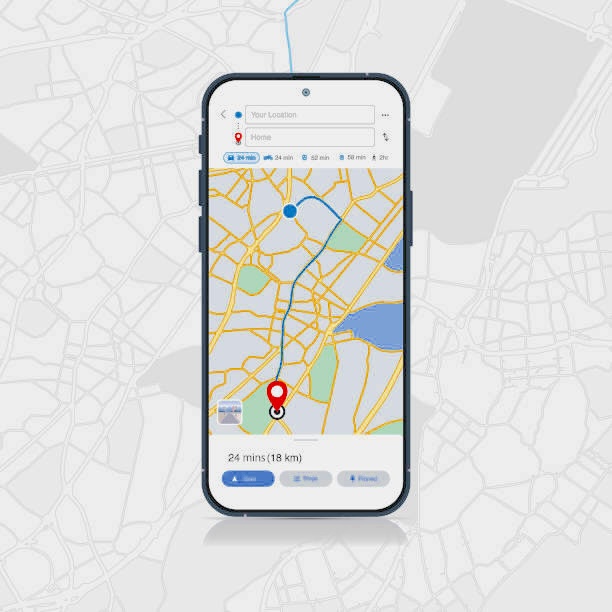
Part 3 — How to Track Someone’s Live Location with a Phone Number
Some online tools allow you to request someone’s live location using their phone number. These services send a location‑sharing link to the person, and they must approve it before sharing their location.
1. Geofinder.mobi
Geofinder sends an SMS to the target number asking for permission to share their location.
How to use:
- Visit Geofinder.mobi
- Enter the phone number
- Choose the SMS message
- The person receives a link
- Once they accept, you can view their location
Pros
- No installation required
- Works on any phone
- Simple interface
Cons
- Requires consent
- Limited features
2. Scannero.io
Scannero works similarly but offers a more polished interface.
How to use:
- Visit Scannero
- Enter the phone number
- Request location
- Receive results via email
Pros
- Accurate
- Works across networks
- Easy to use
Cons
- Requires permission
- Does not work if the phone is off
Part 4 — Other Methods to Locate a Phone Number
If built‑in tools or number‑based trackers aren’t enough, there are additional methods to locate someone’s phone.
1. Install a GPS Tracking App
For parents or caregivers, installing a GPS tracking app is the most reliable method.
Some families explore parental‑control tools such as FreePhoneSpy Parental Control, which can:
- Show real‑time location
- Provide 30‑day location history
- Set geofences and alerts
- Monitor surroundings
- Work discreetly on Android
How to use FreePhoneSpy to track a child’s location:
- Install FreePhoneSpy Parental Control on your phone
- Create an account
- Install FreePhoneSpy Kids on the child’s device
- Link both devices
- Tap Location to view real‑time data
This method requires full consent and is designed for family safety.
2. Use Social Media Clues
Platforms like Facebook, Instagram, and WhatsApp often reveal:
- Check‑ins
- Tagged locations
- City or region
- Public posts
This method is not always reliable but can provide helpful context.
3. Use an IP Address Tracker
If you have access to someone’s IP address (e.g., through email headers), you can estimate their region.
IP trackers can show:
- City
- Region
- ISP
- Network type
This method does not provide exact addresses.
4. Use an IMEI Tracker
An IMEI number can help locate a device — but only through:
- The mobile carrier
- Law enforcement
Online IMEI trackers are rarely accurate. For real results, contact the carrier or police.
Final Thoughts
Finding someone’s location using their phone number is easier today than ever before — but it must always be done legally, ethically, and with full consent. While built‑in tools like Find My Device and Find My iPhone offer the most accurate and secure tracking, they require access to the person’s account credentials. Reverse lookup tools can help identify unknown callers, but they cannot provide real‑time location.
Phone‑number‑based tracking services like Geofinder and Scannero offer a convenient way to request someone’s live location, but they only work when the person approves the request. This ensures transparency and prevents misuse.
For families who need ongoing location awareness — such as parents monitoring a child’s safety — some explore parental‑control tools such as FreePhoneSpy Parental Control. These tools provide real‑time GPS tracking, location history, geofencing, and device‑level safety features, all used responsibly and with consent.
Ultimately, the best method depends on your purpose:
- Lost phone? Use built‑in tracking tools.
- Identifying unknown callers? Use reverse lookup services.
- Requesting someone’s live location? Use phone‑number‑based trackers.
- Ensuring a child’s safety? Use a parental‑control app.
Whatever method you choose, always prioritize privacy, transparency, and legal compliance. Location tracking should protect people — not invade their personal space.
FAQs About Tracking Someone’s Location by Phone Number
1. Can I track someone’s location without their permission?
No. Tracking someone without consent is illegal in most countries. Only parents monitoring minors or authorized individuals can legally track a device.
2. Can I find someone’s exact location using only their phone number?
Not directly. You need either:
- Their consent
- Access to their Google/Apple account
- A tracking link they approve
3. Do reverse phone lookup tools show real‑time location?
No. They only show publicly available information such as:
- City
- State
- Carrier
- Owner details
4. Can I track someone if their phone is turned off?
No. You can only see the last known location if:
- Find My Device or Find My iPhone was enabled
- The phone was recently online
5. Can I track someone’s location through WhatsApp or social media?
Not directly. However:
- WhatsApp allows live location sharing (with consent)
- Social media posts may reveal general location
6. Are phone‑number‑based trackers safe?
Yes — as long as they require the person to approve the location request. Avoid any service claiming to track someone secretly.
7. Can FreePhoneSpy track someone without installing anything?
No. FreePhoneSpy requires installation on the child’s device and full consent. It is designed for family safety, not covert tracking.
8. What is the most accurate way to track a phone?
Built‑in tools like:
- Find My Device (Android)
- Find My iPhone (iOS)
These use GPS, Wi‑Fi, and cellular networks for precise results.
9. Can I track someone using their IMEI number?
Not personally. Only:
- Mobile carriers
- Law enforcement
…can track IMEI numbers.
10. What should I do if someone is tracking my phone without permission?
- Change your passwords
- Turn off location services
- Reset your device
- Contact your carrier
- Report unauthorized tracking



Add comment