

Losing your phone is stressful — not just because of the device itself, but because of the personal data, photos, messages, and accounts stored inside it. When panic sets in, many people search online for ways to track a phone using its IMEI number, hoping for a quick solution.
But here’s the truth:
Tracking a phone using IMEI is possible — but only through mobile carriers or law enforcement.
Most IMEI‑tracking websites and apps online are misleading, ineffective, or outright scams.
This guide explains what IMEI tracking can and cannot do, how authorities use IMEI numbers, which online tools are legitimate, and the best alternative methods to locate your lost phone.
Is It Possible to Track a Stolen Phone Using Its IMEI Number?
Yes — but not in the way most online guides claim.
IMEI tracking is real, but:
- Only mobile carriers and law enforcement can track a phone using IMEI
- It requires legal authorization
- It is used only in serious cases (missing persons, theft investigations, criminal cases)
- It is not available to regular users
Most “IMEI tracker” apps online do not track phones using IMEI. They either:
- Show ads
- Ask for surveys
- Request payments
- Provide fake results
- Require installation on the lost phone (which is impossible)
So while IMEI tracking exists, it is not a DIY method.
How to Track a Phone Using IMEI (What Actually Works)
There are only two legitimate ways to track a phone using its IMEI number:
- Through government authorities
- Through your mobile carrier
Let’s break down how each works.
1. Government Websites & Authorities
Some countries — such as India — offer official government portals for reporting lost or stolen phones.
Example: India’s CEIR System
The CEIR (Central Equipment Identity Register) allows users to:
- Report a stolen phone
- Block the IMEI
- Prevent the phone from being used on any network
- Request unblocking once recovered
How it works
- File a police report
- Submit your IMEI number
- Provide proof of ownership
- Request IMEI blocking
- Authorities track the device through mobile networks
This system prevents thieves from using or reselling the phone.
What if your country doesn’t have such a system?
You can still:
- File a police report
- Provide your IMEI
- Request carrier assistance
Law enforcement can work with carriers to track the device through the Equipment Identity Register (EIR).
Requirements
- IMEI number
- Proof of ownership
- Police report
- The phone must be powered on
2. Mobile Carrier Tracking
Mobile carriers can track a phone using triangulation, which measures signal timing between cell towers.
How carriers track IMEI
- They check the IMEI against the EIR database
- They locate the device using tower signals
- They can block the IMEI to prevent network use
How to request carrier assistance
- Provide your IMEI
- Show identification
- Provide purchase receipt
- Visit a carrier store in person
- File a police report if required
Limitations
- Carriers cannot legally share location data with regular users
- A warrant or police involvement is often required
- The phone must be turned on and connected to a network
Review of Popular IMEI Tracker Websites & Apps
We tested many IMEI trackers recommended online. Most fall into three categories:
Category 1 — Scam Websites
These sites promise IMEI tracking but only show:
- Ads
- Surveys
- Fake progress bars
- Payment requests
Examples include:
- IMEI Tracker
- CodeClary IMEI Tracker
- Mobile Location
- Find My Phone Info
None of these provide real location data.
Category 2 — Apps That Require Installation on the Lost Phone
These apps track phones using GPS, not IMEI.
Examples:
- IMEI Tracker – Find My Device
- Find My Device (IMEI Tracker)
These apps only work if:
- Installed before the phone was lost
- Activated with permissions
They cannot track a phone using IMEI alone.
Category 3 — IMEI Checkers (Not Trackers)
These tools only show:
- Device model
- Warranty status
- Blacklist status
Examples:
- IMEI CHECK.NET
- IMEI.info
They cannot locate a phone.
5 Online IMEI Tracker Websites (Reviewed)
Here’s a quick summary of the most popular IMEI websites.
1. IMEI CHECK.NET
- Shows device model and manufacturer
- Paid version shows blacklist status
- Does not show location
2. IMEI.info
- Shows brand and model
- Paid version shows blacklist status
- No tracking capability
3. IMEI Tracker
- Claims to track IMEI
- Shows fake loading screens
- Requires surveys and purchases
- No results provided
4. CodeClary IMEI Tracker
- Redirects to another site
- Repeated verification loops
- No location data
5. Mobile Location
- Claims IMEI tracking
- Actually retrieves IMEI from phone number
- Cannot track phones
6 IMEI Number Tracker Apps (Reviewed)
Most IMEI apps are misleading. Here’s what they actually do.
1. IMEI Report
- Checks if a device is blacklisted
- Shows GSM lock status
- Filled with ads
- No tracking
2. IMEI Tracking
- Checks if a device is reported stolen
- Limited to certain carriers
- No location tracking
3. IMEI Tracker – Find My Device
- Tracks via GPS, not IMEI
- Requires installation beforehand
- Paid subscription
- Not a real IMEI tracker
4. Find My Device (IMEI Tracker)
- Same as above
- Requires pre‑installation
- Not IMEI‑based
5. Find My Phone – IMEI Tracker
- Free but ineffective
- Shows ads
- Only works if someone reports the phone
- Not reliable
6. Find My Phone Info: IMEI Track
- Requires payment
- Does not show real location
- Likely a scam
Other Effective Ways to Track a Phone (Totally Free)
Since IMEI tracking is not available to regular users, the most reliable and accessible methods for locating a lost phone are the official tools provided by Google and Apple. These tools use GPS, Wi‑Fi, cell towers, and Bluetooth networks to locate your device with high accuracy.
Below are the two most effective methods:
- Google Find My Device (Android)
- Find My iPhone (iOS)
Both are free, secure, and far more reliable than any IMEI tracker online.
1. How to Track an Android Phone Using Google Find My Device
Google Find My Device is the most accurate and trustworthy way to locate a lost Android phone. It works as long as:
- The phone is turned on
- It is connected to the internet
- Location services are enabled
- You are signed in to your Google account
Step 1 — Access Find My Device
Use another phone or computer:
- Download the Find My Device app from Google Play
- Or visit the website: https://www.google.com/android/find
Step 2 — Sign In
Sign in using the Google account linked to the lost phone. If using someone else’s device, choose “Sign in as guest.”
Step 3 — Select the Lost Device
You’ll see a list of devices associated with your Google account. Tap the one you want to locate.
You may be asked to:
- Enter your Google password
- Provide the lock pattern (Android 9+)
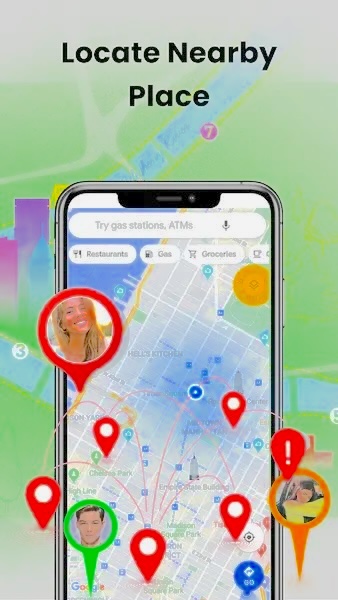
Step 4 — Locate the Phone
Google will show:
- The phone’s current location
- Its last known location
- Accuracy radius (usually within 20 meters)
If you’re close to the device, tap Find Nearby to activate precision tracking.
Step 5 — Choose an Action
Google offers three options:
1. Play Sound
- Rings the phone for 5 minutes
- Works even if the phone is on silent
2. Secure Device
- Locks the phone
- Lets you display a message (e.g., “Please call me at…”)
3. Erase Device
- Permanently deletes all data
- Should be used only if recovery seems impossible
- After erasing, tracking will no longer work
2. How to Track an iPhone Using Find My iPhone
Find My iPhone is Apple’s official tracking system. It works even if:
- The phone is offline
- The SIM card is removed
- The device is powered off (iOS 15+)
This is possible through the Find My Network, which uses nearby Apple devices to relay location data.
Step 1 — Open iCloud
Visit: https://www.icloud.com/find Log in with your Apple ID.
If two‑factor authentication appears, choose “Find Devices” to bypass the code.
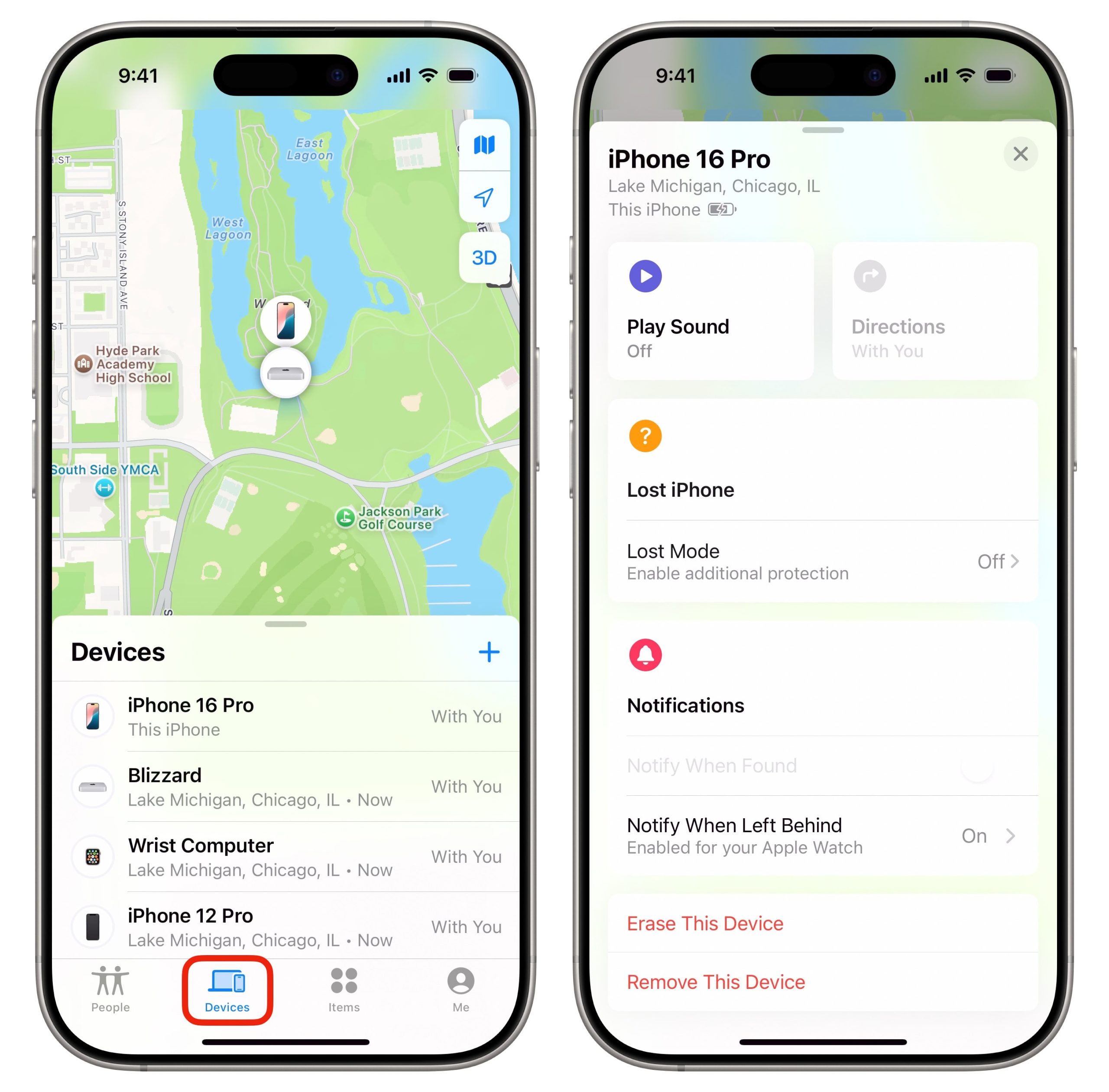
Step 2 — Open Find My App (Optional)
If using another iPhone:
- Open Find My
- Tap All Devices
- Select the lost iPhone
Step 3 — Choose an Option
1. Play Sound
Helps locate the phone nearby.
2. Lost Mode
- Locks the device
- Enables tracking
- Displays a custom message
- Suspends Apple Pay
3. Erase iPhone
Deletes all data remotely. On iOS 15+, you can still track the device even after erasing.
Conclusion
If you’ve been searching for ways to track a phone using its IMEI number, you’ve likely encountered dozens of misleading apps and websites promising instant results. The truth is:
- Only mobile carriers and law enforcement can track IMEI numbers
- Most IMEI trackers online are ineffective or scams
- Real IMEI tracking requires legal authorization
The most reliable and accessible methods for regular users are:
- Google Find My Device (Android)
- Find My iPhone (iOS)
These tools allow you to:
- Locate your phone
- Play a sound
- Lock the device
- Erase data remotely
If your phone is stolen, always:
- File a police report
- Provide your IMEI
- Contact your carrier
- Use official tracking tools
These steps give you the best chance of recovering your device safely.
FAQs About Tracking a Phone Using IMEI
1. How do I find my IMEI number?
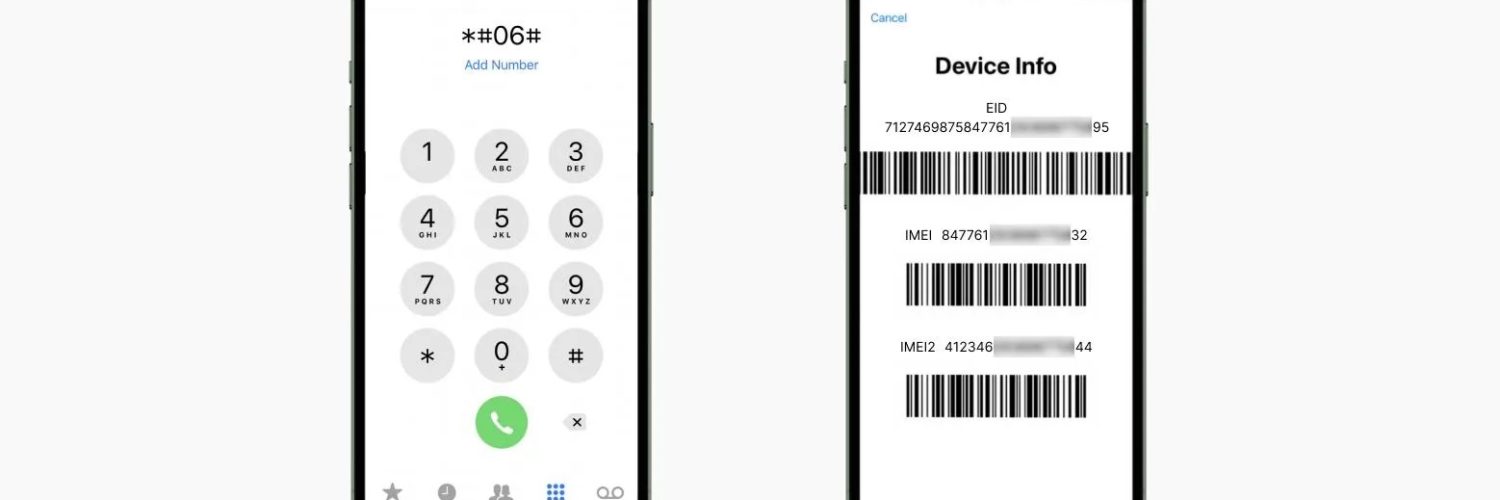
Dial \#06#* on your phone. If the device is lost, you can find the IMEI in Find My Device or on the phone’s original box.
2. Can I track IMEI using Google Earth?
No. Google Earth cannot track phones or IMEI numbers.
3. What is a police IMEI tracker?
It refers to tools used by law enforcement to locate stolen devices through IMEI numbers, in cooperation with mobile carriers.
4. Can I track my stolen phone if it’s switched off?
You can only see its last known location. Real‑time tracking is impossible when the device is powered off.
5. Are IMEI tracker apps real?
Most are misleading. They cannot track phones using IMEI alone.
6. Can carriers track my phone without a police report?
Usually no. Privacy laws require legal authorization.
7. Can I block my phone using IMEI?
Yes. Carriers can blacklist your IMEI, preventing the phone from being used on any network.
8. Does IMEI tracking work internationally?
Only if carriers cooperate across borders — which is rare.
9. Can FreePhoneSpy track a lost phone?
FreePhoneSpy is designed for parental monitoring, not IMEI tracking. It can help families monitor device activity but cannot locate a stolen phone using IMEI.
10. What should I do first after losing my phone?
- Use Find My Device or Find My iPhone
- Change passwords
- Contact your carrier
- File a police report




Add comment