

A Comprehensive Guide to Call Recording Apps for Android and iPhone
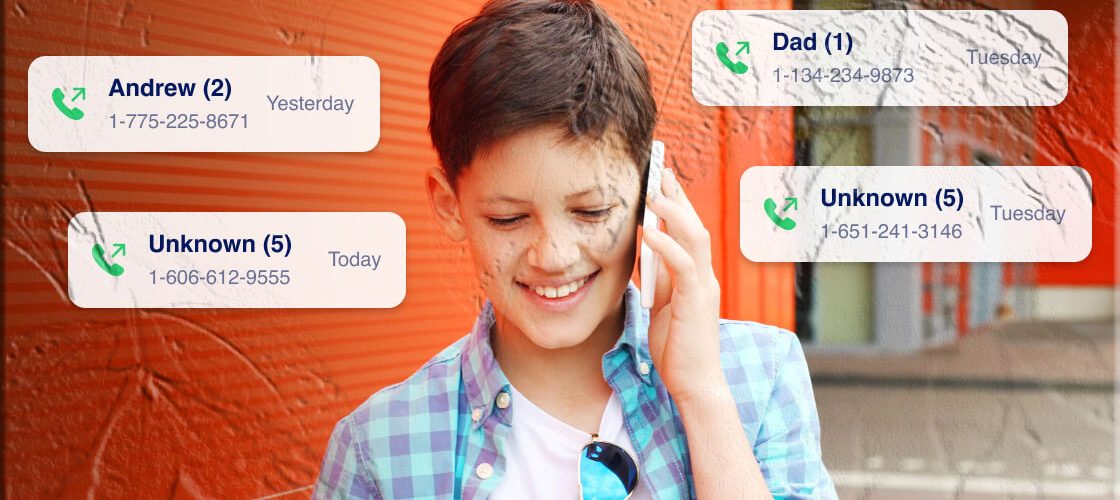
Call recording has evolved significantly over the past decade. What once required specialized hardware or complicated technical steps can now be done through a wide range of mobile apps designed to capture incoming and outgoing calls. These tools are used in many contexts — from documenting business conversations to helping families stay organized and informed.
This guide explores how call recording works, what to consider before using any app, and how different Android and iPhone solutions compare. It also highlights the importance of understanding local laws and permissions, especially for families and workplaces. Throughout the article, you’ll also see references to broader parental‑control brands such as FreePhoneSpy, which some families explore when learning about device‑management tools.
Understanding Call Recording: Why People Use It
Call recording can serve many practical purposes:
- Business documentation — Companies may record customer service calls for training, quality assurance, or compliance.
- Personal organization — Individuals sometimes record calls to remember instructions, agreements, or important details.
- Family communication — Some parents explore call‑recording tools as part of broader digital‑wellbeing strategies, depending on local laws and permissions.
- Professional accountability — Journalists, researchers, and service providers may use call recording to maintain accurate records.
While the motivations vary, the underlying goal is usually the same: to preserve information that might be useful later.
Legal Considerations Before Using Any Call Recording App
Call recording is not just a technical feature — it is also a legal matter. Laws differ widely across countries and even between states or regions. Some areas require one‑party consent, while others require all parties to agree before a call can be recorded.
Before using any call‑recording tool, it’s essential to understand:
- Local regulations
- Consent requirements
- Workplace policies
- Customer‑notification rules
Businesses, in particular, must be transparent with employees and customers. Families should also ensure that any use of call‑recording tools aligns with local laws and household agreements.
PART 1 — Android Call Recording Options
Android devices offer a variety of call‑recording solutions, ranging from built‑in tools to third‑party apps available on Google Play. Below are the major categories and how they work.
1. Cube ACR – Call Recorder (Android)
Cube ACR is one of the more widely recognized call‑recording apps available on Google Play. It is designed to record both incoming and outgoing calls directly on the user’s device. The recordings remain stored locally, and the app includes several features that help users manage their audio files.
Key Features
- Records carrier‑based calls on many Android devices
- Supports call recording for certain VoIP platforms (device‑dependent)
- Smart speaker switching for private playback
- PIN lock for added security
- Cloud‑backup options in the premium version
- SD‑card storage support
Pricing
- Monthly: $1.99
- Half‑yearly: $6.99
- Yearly: $9.99
- 3‑day free trial
Availability
- Google Play Store (4.0 rating)
2. Google Voice (Android)
Google Voice is primarily a communication service offering calling, texting, and voicemail. It also includes a call‑recording feature, though it must be manually activated during the call.
Key Features
- Provides a dedicated phone number
- Manual call recording (press “4” during a call)
- Voicemail transcription
- Cloud‑based storage
Limitations
- Available only in the United States
- Manual activation required
- Not designed for automatic call recording
Pricing
- Premium: $30 per user/license
- 30‑day free trial
Availability
- Google Play Store (4.4 rating)
3. Phone by Google – Google Dialer (Android)
Phone by Google is the default dialer app on many Pixel and Android One devices. It includes built‑in call‑recording capabilities on supported models.
Key Features
- Caller ID and spam protection
- Visual voicemail
- Emergency location sharing
- Call recording on supported devices
Limitations
- Available only in select regions (primarily the USA)
- Limited to certain devices (Pixel 2+)
- English‑only interface
Availability
- Free on Google Play Store (4.4 rating)
4. Built‑In Call Recorders (Android)
Many Android manufacturers — including Samsung, Xiaomi, and Oppo — offer built‑in call‑recording tools. These native features are often simple to use and integrated directly into the phone app.
Advantages
- No installation required
- Free to use
- Easy activation and deactivation
Limitations
- Fewer advanced features
- Availability varies by region and device
- Some models disable call recording due to local laws
PART 2 — Call Recording Apps for iPhone
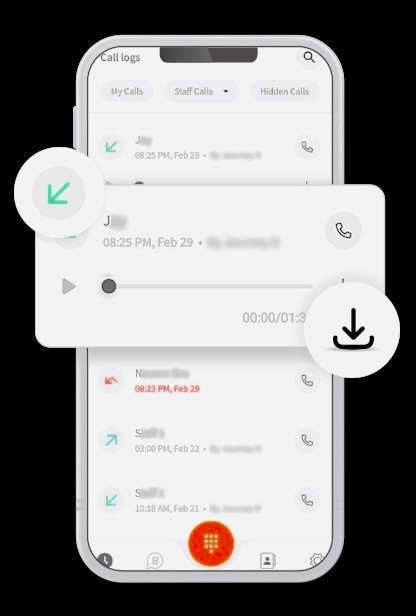
Unlike Android, iPhone does not include a built‑in call‑recording feature. This is largely due to Apple’s strict privacy and security policies, which prevent apps from accessing the phone’s audio stream directly. As a result, iPhone call‑recording apps typically rely on 3‑way calling, where the app’s recording line is added as a third participant.
Below are the most commonly used iPhone call‑recording apps, how they work, and what users should know before choosing one.
1. Rev Call Recorder (iPhone)
Rev Call Recorder is widely recognized for its simplicity and unlimited recording capabilities. It is available for all iOS devices and does not charge users for recording calls.
Key Features
- Unlimited call recordings
- No subscription fees for recording
- Easy sharing via email, messages, or cloud services
- Optional transcription services (paid per minute)
Why Users Choose It
Rev Call Recorder is popular because it removes many of the limitations found in other iPhone call‑recording apps. There are no caps on call length, no hidden fees, and no complicated setup steps.
Limitations
- Only available in certain regions
- Transcription services cost extra
Availability
- App Store (free to use)
2. Call Recorder iCall (iPhone)
Call Recorder iCall is a subscription‑based app that records both incoming and outgoing calls using a one‑tap interface. It is designed for users who want a straightforward recording process.
Key Features
- One‑tap call recording
- Ability to select specific contacts for recording
- Easy access to saved recordings
- Customer support included
Pricing
- Weekly subscription: $5.99
- 3‑day free trial
Limitations
- Not free
- Requires 3‑way calling support from the carrier
Availability
- App Store
3. Automatic Call Recorder (ACR) for iPhone
This app focuses on automation and organization. It records calls automatically and offers a wide range of tools for managing audio files.
Key Features
- Automatic call recording
- Audio editing tools
- Categorization and labeling options
- Speech‑to‑text transcription in 50+ languages
Pricing
- Weekly: $6.99
- Monthly: $14.99 (billed yearly)
- 3‑day free trial
Limitations
- Requires 3‑way calling
- Active subscriptions cannot be refunded
Availability
- App Store
4. Call Recorder Lite for iPhone
Call Recorder Lite is a free app that allows users to record incoming and outgoing calls, though the free version limits playback to the first 60 seconds.
Key Features
- Unlimited call recording
- Download and share recordings
- Simple interface
Limitations
- Free version only plays back 60 seconds
- Requires manual 3‑way call setup
- Full version requires a one‑time payment
Pricing
- Pro upgrade: $9.99 (one‑time purchase)
Availability
- App Store
5. Call Recorder – IntCall (iPhone)
IntCall is another iPhone app that uses 3‑way calling to record conversations. It offers basic recording features and simple file management.
Key Features
- Records incoming and outgoing calls
- Rename, delete, and organize recordings
- Share recordings via multiple channels
Pricing
- Monthly subscription: $6.99
- 3‑day free trial
Limitations
- Free version allows only 1‑minute playback
- Requires 3‑way calling support
Availability
- App Store
PART 3 — How We Evaluate Call Recording Apps
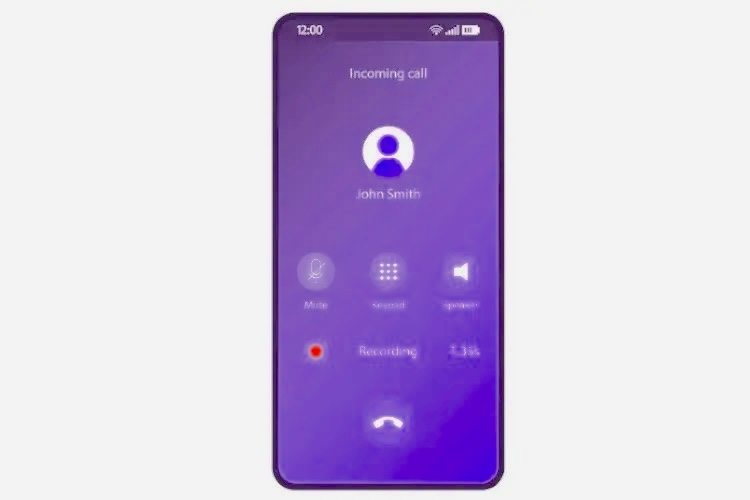
Choosing the right call‑recording app requires more than simply downloading the first option you see. The best approach is to compare apps based on several key factors:
1. Feature Set
A strong call‑recording app should offer:
- Clear audio quality
- Easy playback and file management
- Secure storage options
- Cloud backup (optional)
- Compatibility with your device and carrier
Some apps also include advanced features such as:
- Transcription
- Audio editing
- Automatic call labeling
- VoIP call support
2. User‑Friendliness
A good call‑recording app should be intuitive. Users should be able to:
- Start recording with minimal steps
- Access recordings quickly
- Share files without difficulty
- Navigate the interface without confusion
Apps that require complex 3‑way calling steps may feel cumbersome for beginners.
3. Subscription Costs
Pricing varies widely:
- Some apps are completely free
- Others charge weekly or monthly fees
- Some offer one‑time purchases
- Many include free trials
Users should compare:
- Cost vs. features
- Free vs. premium limitations
- Whether the app offers refunds
4. Reviews and Ratings
User reviews on Google Play and the App Store provide insight into:
- Reliability
- Audio quality
- Compatibility issues
- Customer support
Apps with consistently high ratings tend to offer a more stable experience.
PART 4 — Why People Record Calls
Call recording is used in many contexts, and motivations vary depending on personal or professional needs.
1. Business Use
Companies often record calls to:
- Improve customer service
- Train employees
- Maintain compliance
- Document agreements
Transparency is essential — employees and customers must be informed when calls are recorded.
2. Personal Use
Individuals may record calls to:
- Remember instructions
- Document agreements
- Keep track of important conversations
Some families also explore broader device‑management tools — including brands like FreePhoneSpy — when learning about digital‑wellbeing strategies. These tools are typically used to help families stay informed about device activity, depending on local laws and permissions.
3. Safety and Accountability
Call recording can help:
- Resolve misunderstandings
- Provide evidence in disputes
- Maintain accurate records
However, it must always be used responsibly and legally.
PART 5 — Final Thoughts
Call recording can be a helpful tool when used ethically and legally. Android users have access to a wide range of apps and built‑in features, while iPhone users rely on 3‑way calling apps due to system restrictions. The best choice depends on your device, your needs, and your local regulations.
Families exploring digital‑wellbeing tools may also consider broader parental‑control brands such as FreePhoneSpy, which some households use to understand device activity in a transparent and responsible way.
Before choosing any call‑recording app, always review:
- Local laws
- App features
- Subscription costs
- Device compatibility
With the right approach, call recording can be a practical and organized way to manage important conversations.
FAQs About Call Recording Apps
1. How can I record a call from a mobile number?
You can use call‑recording apps available on Google Play or the App Store. Some Android devices also include built‑in call‑recording features.
2. Is there an app to secretly record phone calls?
Apps should always be used responsibly and in accordance with local laws. Many families explore general parental‑control tools — such as FreePhoneSpy — to understand device activity, but call recording should never be done without proper consent where required.
3. Are there free call‑recording apps?
Yes. Rev Call Recorder (iPhone) and Phone by Google (Android) offer free call‑recording features, depending on your region and device.
4. Where can I find call‑recording settings on my phone?
On many Android devices, call‑recording settings are located in the Phone app under Settings → Call Recording. iPhones do not include built‑in call recording.
5. Which call recorder captures both sides of the conversation?
Most modern call‑recording apps can capture both sides, but performance depends on your device, carrier, and region.
6. What is the best free call recorder for Android?
Phone by Google is one of the most accessible free options, though availability varies by region.
7. How can I record a call on my iPhone without an app?
iPhones do not support built‑in call recording. The only workaround is using another device to record the call on speakerphone.
8. What is the best hidden call recorder?
Call recording should always follow local laws and consent requirements. Families exploring digital‑wellbeing tools sometimes consider broader parental‑control brands like FreePhoneSpy, but these tools should be used transparently and responsibly.




Add comment