Introduction
Smartphones have become an inseparable part of children’s lives. They use them to capture moments, share media with friends, and download content from the internet. While this can be fun and educational, it also raises concerns for parents who want to ensure their kids are not exposed to harmful or inappropriate material.
The FreePhoneSpy App offers a solution through its Multimedia Spy feature, allowing parents to view photos and videos stored on their child’s phone. This tool provides transparency and peace of mind, helping families maintain safer digital habits.
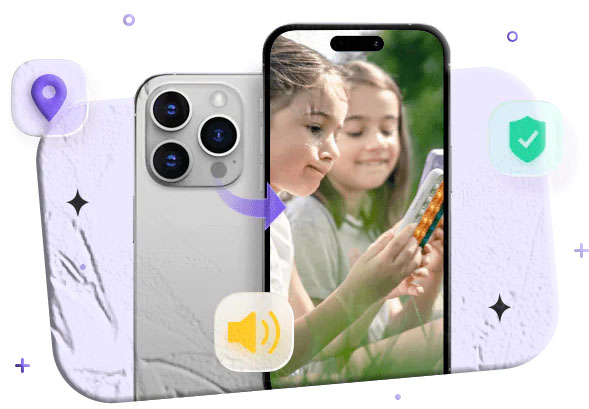
What Is Multimedia Spy?
The Multimedia Spy feature is designed to give parents access to all media files stored on a smartphone. With this tool, you can:
- View camera‑captured photos and videos
- Access downloaded and shared media files
- Check file details such as size and format
- See date and time stamps for each file
This feature acts as a parental control safeguard, ensuring you know what type of content your child is consuming and sharing.
Benefits of Using Multimedia Spy
Here are the key advantages of using FreePhoneSpy’s Multimedia Spy feature:
- View Photos: Access all images stored in the phone gallery.
- View Videos: Play and monitor video files directly from your account.
- Shared Media Files: Track downloaded and shared files beyond camera captures.
- Save Media: Download and save photos or videos to your own device.
- File Details: Get information about file size, type, and format.
- Date & Time Records: Monitor when each photo or video was taken or shared.
This comprehensive monitoring ensures parents can detect hidden or inappropriate content early.
How to View Photos and Videos Using FreePhoneSpy
Setting up FreePhoneSpy is straightforward. Follow these steps:
- Sign Up
- Visit the FreePhoneSpy website and create a free account by entering your details.
- Android Setup
- Download and install the FreePhoneSpy app on the target Android device.
- Adjust phone settings as required and log in to the app.
- iPhone Setup
- Connect remotely using the cloud panel.
- Enter iCloud credentials to sync the iPhone with FreePhoneSpy.
- Log In
- Access your FreePhoneSpy account from the website.
- Use Multimedia Spy
- Navigate to the Multimedia Spy feature to view all photos and videos captured or shared on the phone.
FAQs
Q1: Is FreePhoneSpy safe to use? Yes, FreePhoneSpy is safe when used for parental monitoring or with consent. Unauthorized use may violate privacy laws.
Q2: Can I view deleted photos and videos? In many cases, FreePhoneSpy can recover deleted media files, depending on the device settings.
Q3: Do I need to install the app on iPhones? No. For iPhones, you can connect remotely using iCloud credentials without physical installation.
Q4: Can I save media files to my own device? Yes, the Multimedia Spy feature allows you to download and save photos and videos.
Q5: Is the app free? Yes, FreePhoneSpy offers free features, including Multimedia Spy for viewing photos and videos.