
Introduction
In today’s digital age, children spend more time on screens than ever before—whether it’s smartphones, tablets, or gaming devices. While technology offers educational benefits, excessive screen time can lead to sleep problems, poor diet, reduced attention span, and even behavioral issues.
As parents, setting boundaries is essential. Thankfully, screen time apps make it easier to monitor, limit, and schedule device usage. In this guide, we’ll explore the best apps for Android and iPhone that help you manage your child’s digital habits.
How We Selected the Best Screen Time Apps
We tested and reviewed multiple apps based on:
- Ease of use: Simple, interactive interfaces for parents.
- Compatibility: Works seamlessly on Android and iOS.
- Features: Scheduling, app blocking, activity reports, and parental controls.
- Value: Free versions or affordable premium plans with refund guarantees.
Best Screen Time Apps for Android
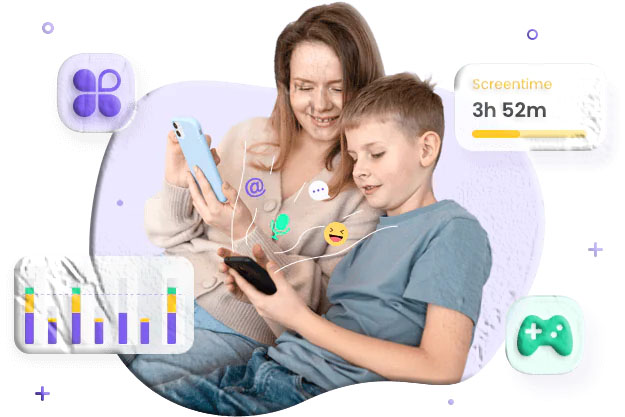
1. FreePhoneSpy Parental Control & Screen Time
A powerful app for managing screen time and monitoring online activity.
Features
- Limit screen time per app or category.
- Schedule study, bedtime, and family time.
- Whitelist essential apps.
- Location tracking and live screen monitoring.
- Sync notifications from social apps like WhatsApp, Instagram, and Facebook.
Pros
- Easy interface.
- Option to hide the app.
- Real-time monitoring.
Cons
- Works only on Android.
Pricing
- Free 3-day trial.
- $9.99/month for 2 devices, $59.99/year for 10 devices.
2. Kidslox Screen Time Parental Control
Simple and effective for locking devices and scheduling usage.
Features
- One-click device lock.
- Screen time schedules.
- Extra screen time requests from kids.
- Location tracking and content blocking.
Pros
- Fast updates.
- User-friendly design.
Cons
- May inaccurately lock devices.
- Easy for kids to bypass.
Pricing
- Free 3-day trial.
- $49.99/year for 1 device, $79.99/year for 10 devices.
3. FamilyTime Screen Time Control
Flexible parental control with customizable rules.
Features
- Pre-set rules for bedtime, homework, and dinner.
- Block apps instantly.
- Track location and driving speed.
- Internet scheduling.
Pros
- Free version tracks app usage.
- Easy interface.
Cons
- Free version lacks time limits.
- No warnings before time runs out.
Pricing
- Free trial.
- $29/year for 1 device, $69/year for 5 devices.
4. Qustodio Screen Time Control
Comprehensive monitoring with advanced parental features.
Features
- Daily time limits and downtime schedules.
- Pause internet instantly.
- Track social media, calls, and texts.
- Emergency alerts for kids.
Pros
- Free daily screen time limits.
- Interactive dashboard.
Cons
- Premium required for app-specific limits.
- Teens may bypass restrictions.
Pricing
- Free basic version.
- $54.95–$99.95/year for premium features.
Best Screen Time Apps for iPhone
1. OurPact Parental Control
Manage family screen time with flexible schedules.
Features
- Daily limits and schedules.
- Block or allow specific apps.
- Website blocking and safe browsing.
- Geofencing for location alerts.
Pros
- Free scheduling features.
- Supports multiple devices.
Cons
- Premium required for app control.
- Delays in blocking/unblocking apps.
Pricing
- Free basic version.
- $6.99–$9.99/month, $69.99–$99.99/year.
2. Bark Screen Time Limit
AI-powered monitoring with advanced risk detection.
Features
- Screen time schedules across devices.
- Alerts for harmful content.
- Detailed activity reports.
Pros
- User-friendly.
- Strong risk detection.
Cons
- Occasional false positives.
Pricing
- $14/month with 7-day free trial.
3. Apple’s Built-In Screen Time
Native iOS feature for managing device usage.
Features
- App limits and downtime schedules.
- Category-based restrictions.
- Password protection for settings.
Pros
- Free and built-in.
- Reliable and easy to use.
Cons
- Available only on iOS 12+.
Pricing
- Free.
4. FamiSafe Screen Time Limit
Comprehensive parental control with advanced monitoring.
Features
- Smart schedules and app limits.
- Location tracking and website filtering.
- Detect explicit content and block in-app purchases.
Pros
- Guest mode available.
- Frequent updates.
Cons
- Occasional tracking errors.
Pricing
- Free 3-day trial.
- $9.99/month for 5 devices, $59.99/year for unlimited devices.
Comparison Table: Best Screen Time Apps for Kids
| App Name | Platform | Pricing | Key Features | Pros | Cons |
|---|---|---|---|---|---|
| FreePhoneSpy Parental Control | Android | Free 3-day trial $9.99/month (2 devices) $59.99/year (10 devices) |
Limit screen/app usage Schedule study/bedtime Whitelist apps Location tracking Live screen monitoring |
Easy interface Hide option Real-time monitoring |
Android only |
| Kidslox | Android & iOS | Free 3-day trial $49.99/year (1 device) $79.99/year (10 devices) |
One-click lock Screen/app schedules Extra time requests Location tracking Content blocking |
Fast updates User-friendly design |
May inaccurately lock Easy to bypass |
| FamilyTime | Android & iOS | Free version Premium: $29/year (1 device) $69/year (5 devices) |
Pre-set rules (bedtime, homework) Block apps Location tracking Internet scheduling |
Free version tracks usage Easy interface |
Free version lacks limits No warnings before time runs out |
| Qustodio | Android & iOS | Free basic version Premium: $54.95–$99.95/year |
Daily time limits Scheduled downtime Pause internet Social media & call monitoring Emergency alerts |
Free daily limits Interactive dashboard |
Premium needed for app-specific limits Teens may bypass |
| OurPact | iOS | Free basic version $6.99–$9.99/month $69.99–$99.99/year |
Daily limits Schedules (bedtime, family time) App permissions Website blocking Geofencing |
Free scheduling Supports multiple devices |
Premium required for app control Delays in blocking apps |
| Bark | Android, iOS, PC | $14/month 7-day free trial |
AI-powered monitoring Screen time schedules Detailed reports Alerts for harmful content |
User-friendly Advanced risk detection |
Occasional false positives |
| Apple Screen Time | iOS (built-in) | Free | App limits Downtime schedules Category restrictions Password protection |
Free & built-in Reliable |
iOS 12+ only |
| FamiSafe | Android & iOS | Free 3-day trial $9.99/month (5 devices) $59.99/year (unlimited devices) |
Smart schedules App usage limits Location tracking Website filtering Block in-app purchases |
Guest mode Frequent updates |
Occasional tracking errors |
How Much Screen Time Is Too Much?
According to the American Academy of Pediatrics (AAP):
- Under 18 months: No screen time (except video chats).
- 18–24 months: Limited educational programming with a caregiver.
- 2–5 years: About 1 hour per weekday, 3 hours on weekends.
- 6+ years: Parents should guide healthy screen habits.
Most children exceed these recommendations, making parental control apps essential for balance.
Conclusion
Managing screen time is vital for children’s health and development. Whether you use FreePhoneSpy for Android or OurPact for iPhone, these apps provide effective ways to limit usage, block harmful content, and encourage healthier digital habits.
FAQs About Screen Time Apps
- Are screen time apps free? Many offer free versions, but advanced features require subscriptions.
- Can kids bypass screen time apps? Some apps are harder to bypass, but tech-savvy teens may find workarounds.
- Do these apps work on both Android and iPhone? Some apps are cross-platform, while others are exclusive to Android or iOS.
- Which app is best for parental control? FreePhoneSpy and FamilyTime are strong for Android, while OurPact and FamiSafe excel on iPhone.
- Is Apple’s Screen Time enough? It works well for basic limits, but third-party apps offer more advanced monitoring.