
Introduction
In today’s digital age, staying connected as a family is more important than ever. Yet, many children don’t have phone numbers or smartphones with SIM cards. That’s where family messaging apps step in. These apps provide a secure, private, and fun way for kids to communicate with parents, siblings, and relatives—without needing a phone number.
Whether you’re looking for parental control, creative features, or simple video calling, these apps are designed to strengthen family bonds while keeping children safe online. Let’s explore the 6 best family messaging apps without phone numbers that parents can trust.
1. Messenger Kids
Messenger Kids, developed by Meta, is one of the most popular family messaging apps for children aged 6–12. Parents set up the account using their Facebook login, ensuring kids cannot register independently.
Key Features:
- Free video calls and messaging with fun filters, GIFs, emojis, and stickers
- Group and individual chats
- Drawing tools, single and multiplayer games
- Parental dashboard to manage contacts and monitor activity
- Usage limits such as bedtime restrictions
Pros:
- 100% free with no ads
- Kid‑friendly features and games
- Strong parental controls
Cons:
- Requires a parent’s Facebook account
- Parental dashboard is accessed via Facebook
2. Kinzoo Messenger
Kinzoo Messenger is designed specifically for private family communication. Accounts can be created using an email address—no phone number required.
Key Features:
- Secure text, voice, and video calls
- Stickers, wallpapers, and creative tools for drawing and storytelling
- Podcasts, interactive stories, and activities
- Parents manage invitations and purchases
Pros:
- Free messaging and parental controls
- No social media elements like likes or followers
Cons:
- Apple ID sign‑up not supported
- Fewer advanced features compared to competitors
3. FreePhoneSpy Parental Control
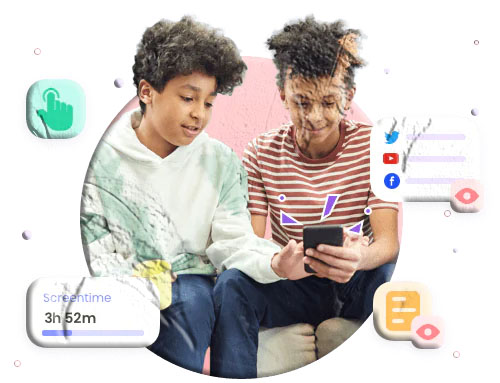
FreePhoneSpy is ideal for parents who want complete oversight of their child’s digital activity. Beyond messaging, it offers advanced monitoring tools.
Key Features:
- Secure chat with media and file sharing
- Customizable time limits and schedules
- Content filtering across SMS and social apps
- Real‑time location tracking and monitoring
- Remote screen and notification access
Pros:
- Full parental monitoring and detailed reports
- Kid‑friendly interface
Cons:
- Lacks fun games or creative tools
4. JusTalk Kids
JusTalk Kids is a safe communication app with strong encryption and parental controls. Parents can link their own number for account recovery.
Key Features:
- High‑quality video and voice calls (recordable)
- Doodles, stickers, and interactive games during calls
- Drawing board, text editor, and educational videos
- Parental controls for chat time and friend requests
Pros:
- Fun and engaging for kids
- Strong parental control features
Cons:
- Children’s accounts require payment
- Setup process can be lengthy
5. Kinzoo Together
Kinzoo Together focuses on interactive video calls, making it perfect for families separated by distance.
Key Features:
- Co‑viewing experiences like reading bedtime stories
- Real‑time drawing and coloring during calls
- Memory games and kid‑friendly activities
Pros:
- Highly engaging for children
- Free video calling with optional premium plans
Cons:
- No text chat or parental management features
- Less customizable than other apps
6. Stars Messenger Kids
Stars Messenger Kids is a simple, safe, and colorful messaging app for younger children.
Key Features:
- Customizable message styles (fonts, colors, sizes)
- Audio and text messaging with stickers and emojis
- Photo and video sharing
- Parental dashboard for contact management and activity insights
Pros:
- Free video calling
- Kid‑friendly design with no data collection
Cons:
- Limited features compared to other apps
Frequently Asked Questions
1. What is the kid‑friendly version of WhatsApp? Messenger Kids is the closest alternative to WhatsApp for children. It allows safe communication under parental supervision, with no ads or external links.
2. Does Snapchat have a version for kids? No, Snapchat does not offer a child‑friendly version. Parents seeking safer alternatives can use apps like Kinzoo Messenger or JusTalk Kids. For monitoring Snapchat activity, FreePhoneSpy Parental Control is a useful tool.
3. Are these apps safe for children under 10? Yes, most of these apps are designed for children as young as 6. They include parental dashboards, content filters, and activity monitoring to ensure safety.
4. Do parents need to pay for these apps? Many apps like Messenger Kids and Kinzoo Messenger are free. Others, such as JusTalk Kids and FreePhoneSpy, offer premium features or subscriptions for advanced parental controls.
5. Can these apps be used internationally? Yes, all listed apps work globally as long as you have internet access. They are available on iOS and Android devices.
Conclusion
Family messaging apps without phone numbers are a game‑changer for modern households. They allow children to connect safely with loved ones while giving parents peace of mind. Whether you prefer the fun features of Messenger Kids, the creative tools of Kinzoo Messenger, or the advanced monitoring of FreePhoneSpy, there’s an option for every family.
By choosing the right app, you can ensure your child enjoys safe, engaging, and meaningful communication—without the risks of traditional social media or phone numbers.